


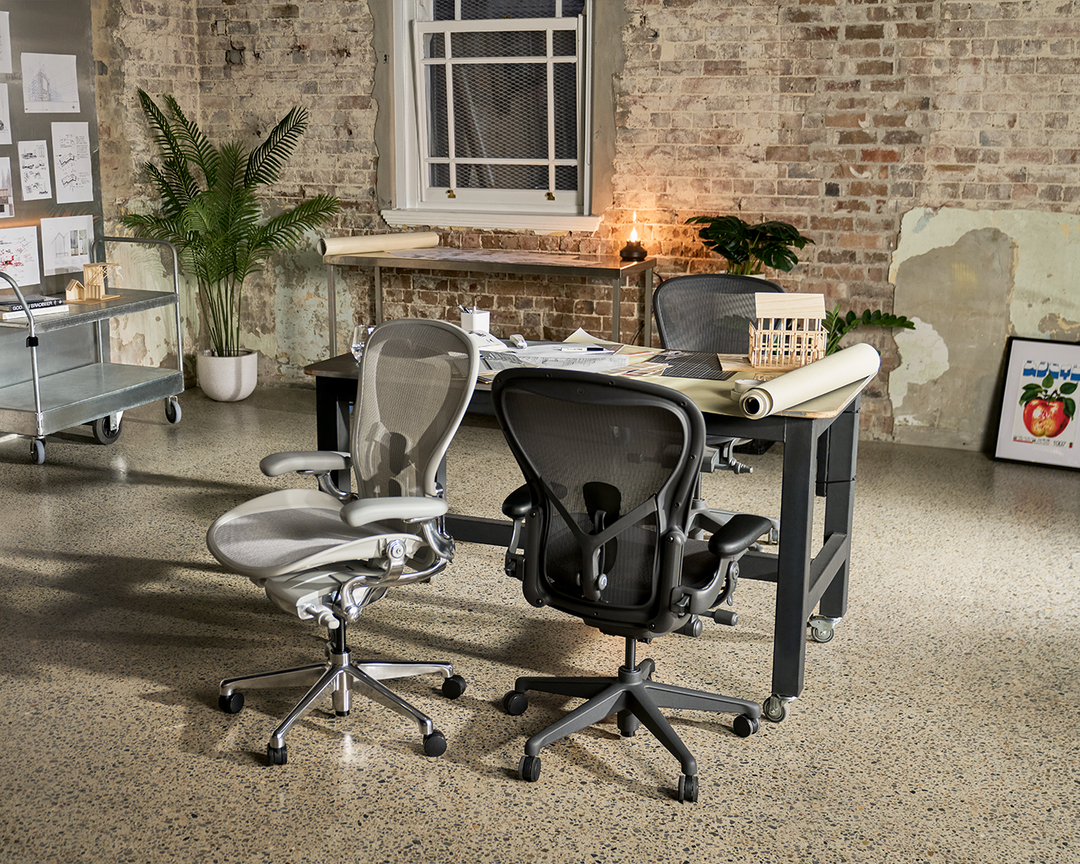
A Herman Miller Aeron can work exceptionally well with a sit-to-stand desk when the chair is sized to your body, the desk is set to your elbow height, and the monitor moves with the change in posture. For most hybrid workers, the practical sequence is simple: choose the Aeron size before buying accessories, set the chair for seated work first, then make the standing desk and screen adjustable around it. The Aeron Remastered gives you three body-specific sizes, Fully Adjustable Arms, forward tilt and adjustable PostureFit SL support, but those features only help when the desk, screen and keyboard are in the right place.[1]
This guide is for people who spend long hours at a computer and want a practical, premium workstation rather than a collection of expensive parts that do not work together. It explains how to fit a Herman Miller Aeron to a sit-to-stand desk, where a monitor arm has the greatest value, and which details to check before you order.
Start with Aeron size, not desk height
The first decision is the chair size. A sit-to-stand desk can move, but the Aeron seat depth, back height and arm spacing cannot. Chair Dinkum’s Aeron Remastered is offered in sizes A, B and C. Size B is the most common choice, but popularity is not a fitting method. A well-fitted seat should allow your back to meet the PostureFit SL pads while leaving a small clearance behind the knees. Your feet also need a stable place to rest when seated.
Herman Miller sizes the Aeron on height and weight together, using a size and fit chart that runs from 142 cm to 200 cm and from 41 kg to 181 kg. You choose by finding where your height and your weight intersect. Size B covers the whole height range and is the size most people land on. Size C is driven more by weight than by height, so a tall but lightly built person takes a Size B. Size A is a narrow specification: 142 to 155 cm and 41 to 54 kg. Where you fall in a shared A or B, or B or C, region of the chart, Herman Miller recommends Size B, because the B-size chair is designed to fit a broad range of people. Our Aeron size guide carries the full chart.
The weight figure in the table below is a separate number again. It is a rating ceiling, not a bracket: the maximum load the size is rated to carry, rather than the chart you size from. Leg length, torso length, footwear and preferred working posture can all change the result, so assess how the seat pan and armrests feel in person where you can. Chair Dinkum lists the following dimensions for the Aeron Remastered range.[1]
| Aeron size | Seat depth | Overall height | How Herman Miller sizes it | Weight rating (maximum) |
|---|---|---|---|---|
| A | 406 mm | 870–978 mm | A narrow specification: 142 to 155 cm and 41 to 54 kg | 136 kg |
| B | 432 mm | 933–1045 mm | Covers the whole height range, 142 to 200 cm, and is the size most people land on | 159 kg |
| C | 470 mm | 1016–1153 mm | Driven more by weight than by height | 159 kg |
Seat depth is fixed for each size and cannot be adjusted, which is the main reason size selection matters more on an Aeron than on a chair with a sliding seat pan. The seat height itself is adjustable on all three sizes, which is useful when a household shares a workstation, but that adjustment does not turn one chair size into another. If you are unsure, browse the Herman Miller chair collection and speak with the Chair Dinkum team before committing to a configuration.
Set up the seated position before adding standing time
A good standing desk should not make seated work an afterthought. Set up the Aeron in the seated position first, because that is where the chair’s support, arms and tilt controls matter. Raise or lower the seat until your feet are supported on the floor or a stable footrest. Then adjust the desk so your shoulders can remain relaxed while the keyboard and mouse are directly in front of you.
WorkSafe Queensland recommends setting the monitor at eye level or just below, about an arm’s distance away, and keeping the keyboard and mouse 10 to 15 cm from the desk edge. It also recommends varying posture instead of remaining seated or standing for long stretches.[2] The practical implication is that the Aeron, desk and monitor need enough adjustment range to be reset without forcing you to reach, shrug or lean forward.
A five-minute seated Aeron check
- Set the seat height so both feet are supported. Add a footrest if the desk height means your feet cannot rest comfortably on the floor.
- Set the armrest height to support your forearms lightly, without pushing your shoulders upward.
- Adjust PostureFit SL gradually. It supports the lumbar region and sacrum, but stronger pressure is not automatically better.
- Use tilt limiter and forward tilt for the task in front of you. Forward tilt can help during focused keyboard or drawing work, while a reclined setting can suit reading or calls.
- Place the monitor directly ahead. For a dual-screen setup, angle the screens inward and centre the primary screen, or sit centred between both when each is used equally.
Make the standing position repeatable
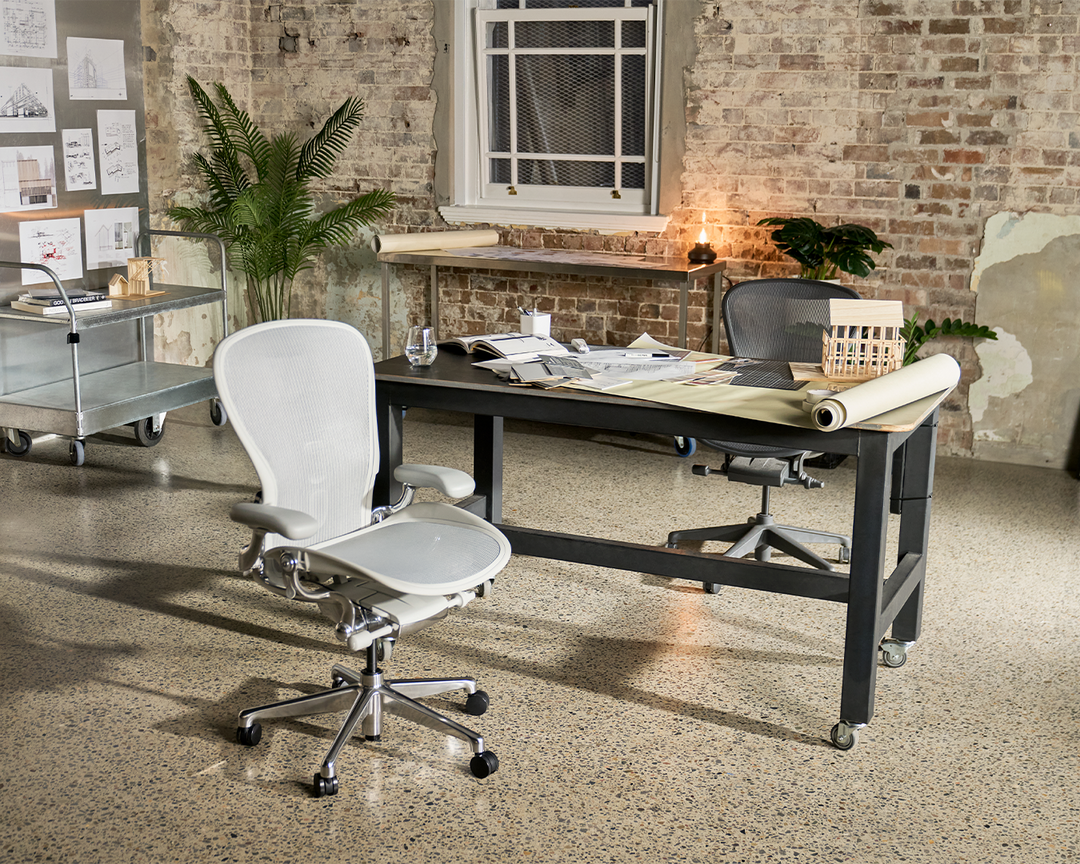
When you raise the desk, your keyboard, mouse and monitor should rise together. The desk surface should sit around elbow height so your forearms can be supported without elevated shoulders. WorkSafe Queensland says a sit-to-stand desk should rise to at least 1,200 mm to suit taller workers, and recommends changing posture about every 30 minutes rather than treating standing as an all-day replacement for sitting.[2]
That is why the Aeron remains useful in a sit-to-stand setup. It gives you a consistent seated position between standing intervals, rather than asking you to tolerate a compromised chair because the desk has a height-adjustment button. For a deeper explanation of desk height, timing and common mistakes, read our standing desk setup guide.
When a monitor arm is worth adding
A monitor arm is most useful when the screen needs to change height with the desk, when desk depth is tight, or when two users share one workspace. It is not merely a cable-management accessory. A fixed monitor stand can leave the screen too low in one posture or too high in the other, particularly with larger displays.
For a single monitor, compare the CBS Flo single monitor arm with the screen weight, VESA mount and rear clearance on your desk. For a wider range of display weights and positions, review the CBS Ollin monitor arm. You can also compare formats and mounting approaches across the monitor arms collection. Confirm the desk thickness, clamp location and screen weight before choosing any arm, especially on a compact desk or a desk with a rear cable tray.
| Workstation situation | Most practical approach | What to check first |
|---|---|---|
| One laptop plus an external monitor | Place the external monitor centrally and raise the laptop on a stand if it remains open. | Screen height, laptop keyboard use, desk depth |
| One large monitor on a sit-to-stand desk | Use a monitor arm if the desk adjustment does not keep the screen at a comfortable height. | Screen weight, VESA pattern, clamp clearance |
| Two equal-use screens | Set the screens side by side, at the same height and with both angled inward. | Desk width, arm reach, centre position |
| Design, CAD or spreadsheet work | Prioritise a stable screen position and fine height adjustment over a decorative desk layout. | Viewing distance, document space, cable movement |
Comcare similarly advises placing a single screen directly in front of you at arm’s length and setting the top of the monitor just above eye level, subject to your visual requirements. For dual displays, it advises placing the primary screen in front of you and angling the screens towards each other to reduce twisting.[3] Our guide to an ergonomic workstation for architects and CAD designers applies the same principles to screen-heavy work.
Who this setup is for
An Aeron and sit-to-stand desk combination suits remote and hybrid workers who want a durable chair with defined adjustment controls, rather than a heavily padded seat. The Pellicle mesh can be especially appealing in warm rooms because air can move through the back and seat. The three-size approach also makes it a strong option for workplaces that are prepared to fit a chair to each user instead of buying one nominally universal model.
It may be a less natural fit for people who prefer to sit cross-legged, tuck one leg underneath, or spend most of the day in a deep recline. In that case, explore the wider task chair collection, or compare the more boardroom-oriented choices in the executive chair collection. The most expensive chair is not automatically the correct chair. A precise fit and a coherent workstation are more valuable than a long feature list.
Buying details that matter
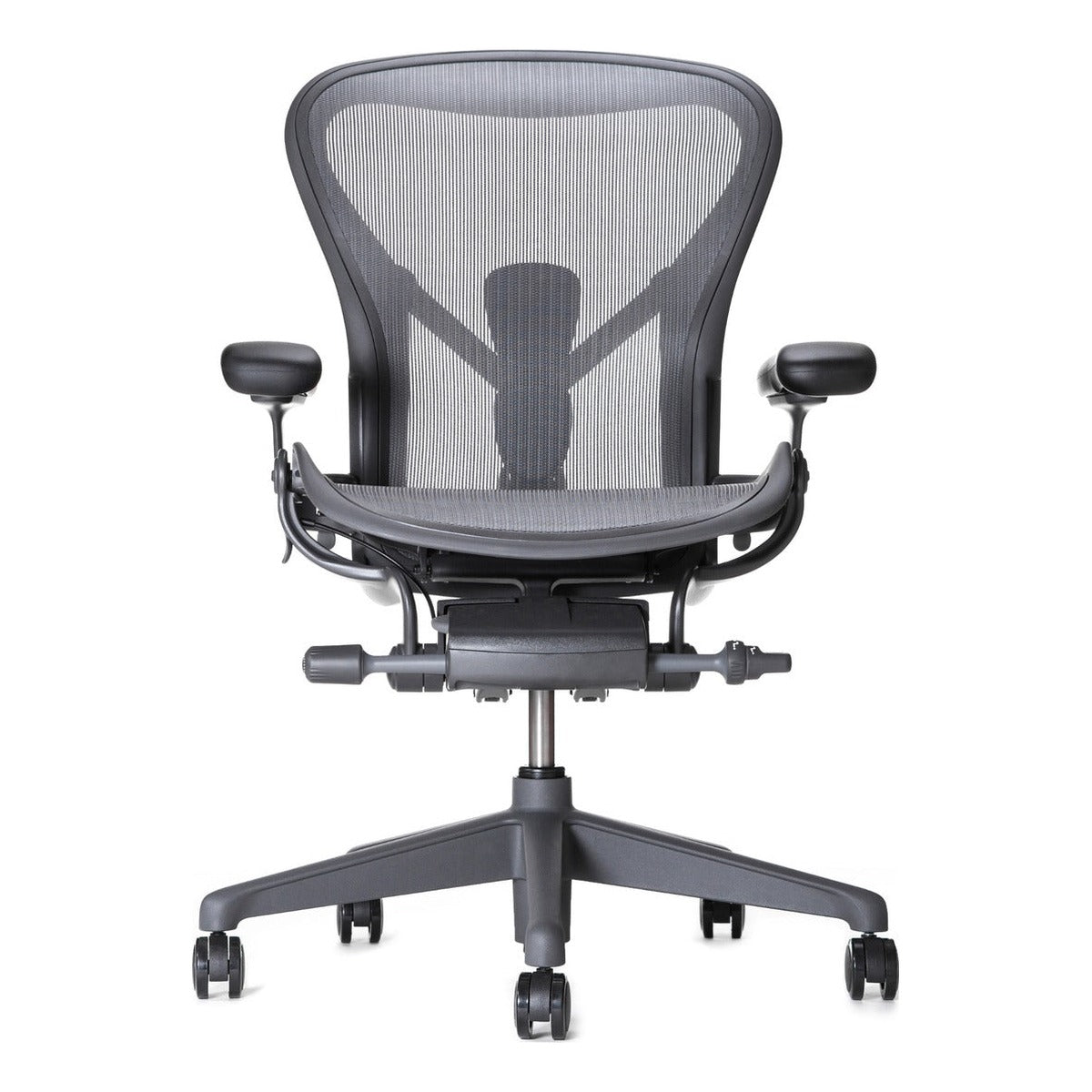
Chair Dinkum’s Aeron Remastered is supplied with PostureFit SL, fully adjustable arms and the three A, B and C size options. It is delivered fully assembled. Chair Dinkum provides its own warranty, 12 months included, with an optional 12-year Extended Warranty, for single-shift use of up to 8 hours a day. The chairs are genuine Herman Miller international parallel imports, not supplied through the standard Australian authorised-retail channel. Serial-based registration with Herman Miller is not available, and warranty support is provided directly by Chair Dinkum.[1]
Before ordering, measure your available desk depth and width, note the model and weight of your display, and decide whether the same desk will be used by more than one person. If you are weighing the investment in a premium chair, our article on why an office chair can be a worthwhile long-term investment covers the practical decision factors.
Frequently asked questions
Is the Herman Miller Aeron good for a sit-to-stand desk?
Yes, provided the seated and standing workstation positions are both adjusted. The Aeron gives you a consistent seated position, while the desk and monitor arm, if needed, allow the keyboard, mouse and display to move into a suitable standing position.
Which Aeron size should I choose for a standing desk?
Choose Aeron size according to your body fit, not the desk. Size A, B and C have different seat widths, depths and back heights, and Herman Miller sizes them on height and weight together rather than on height alone. Size B covers the whole height range and is the size most people land on, and where you fall in a shared A or B, or B or C, region of the chart, Herman Miller recommends Size B. Work through the size and fit chart first, then confirm you can sit back into the support with a small clearance behind your knees.
Do I need a monitor arm with a sit-to-stand desk?
Not always. It becomes valuable when the monitor stand cannot provide the height range you need, when desk depth is limited, or when the workstation changes between users. Check monitor weight, VESA compatibility and desk-clamp clearance before selecting an arm.
How often should I alternate between sitting and standing?
There is no single pattern that suits every task or person. WorkSafe Queensland suggests changing posture about every 30 minutes and avoiding long periods in one position. Use the desk to introduce regular movement, not to replace sitting for an entire day.[2]
Can the Aeron help with back pain?
An adjustable chair and a well-set-up workstation can support a more comfortable working position, but an Aeron is not a treatment for back pain. If you have persistent discomfort, a known medical condition or a workplace injury, seek advice from an appropriate health professional or arrange an ergonomic assessment through your employer.
Is the Chair Dinkum Aeron genuine, and who provides the warranty?
Yes, it is a genuine Herman Miller Aeron. Chair Dinkum sources these chairs as international parallel imports, so they are not supplied through the standard Australian authorised-retail channel and serial-based registration with Herman Miller is not available. Chair Dinkum provides warranty support directly.
Build the workstation around the person
The right Aeron setup begins with fit, then builds outward to the desk and screen. Start by viewing the Herman Miller Aeron Remastered, compare compatible sit-to-stand desks and monitor arms, then make a short list of the dimensions that matter in your space. For help choosing a chair size, monitor arm or desk configuration, contact the Chair Dinkum team or call 02 9640 0642.


