


Herman Miller improved comfort and posture support without changing what people loved about the Aeron. When the company remastered its most recognisable chair in 2016, the goal was simple, keep the Aeron feel, fix the weak points, and use new research to make it healthier for long hours. The result is not a new chair, it is the same chair, tuned with two decades of data on how people actually sit at a computer.
The Remastered Aeron takes the original design from 1994 and updates the support system, mesh, tilt, and finishes. The geometry, three sizes, and airy sit remain. If you liked the Classic, you will recognise the Remastered instantly. The changes show up in how your back feels at 3 pm, how your hips stay neutral when you recline, and how evenly your weight is spread across the seat and back.
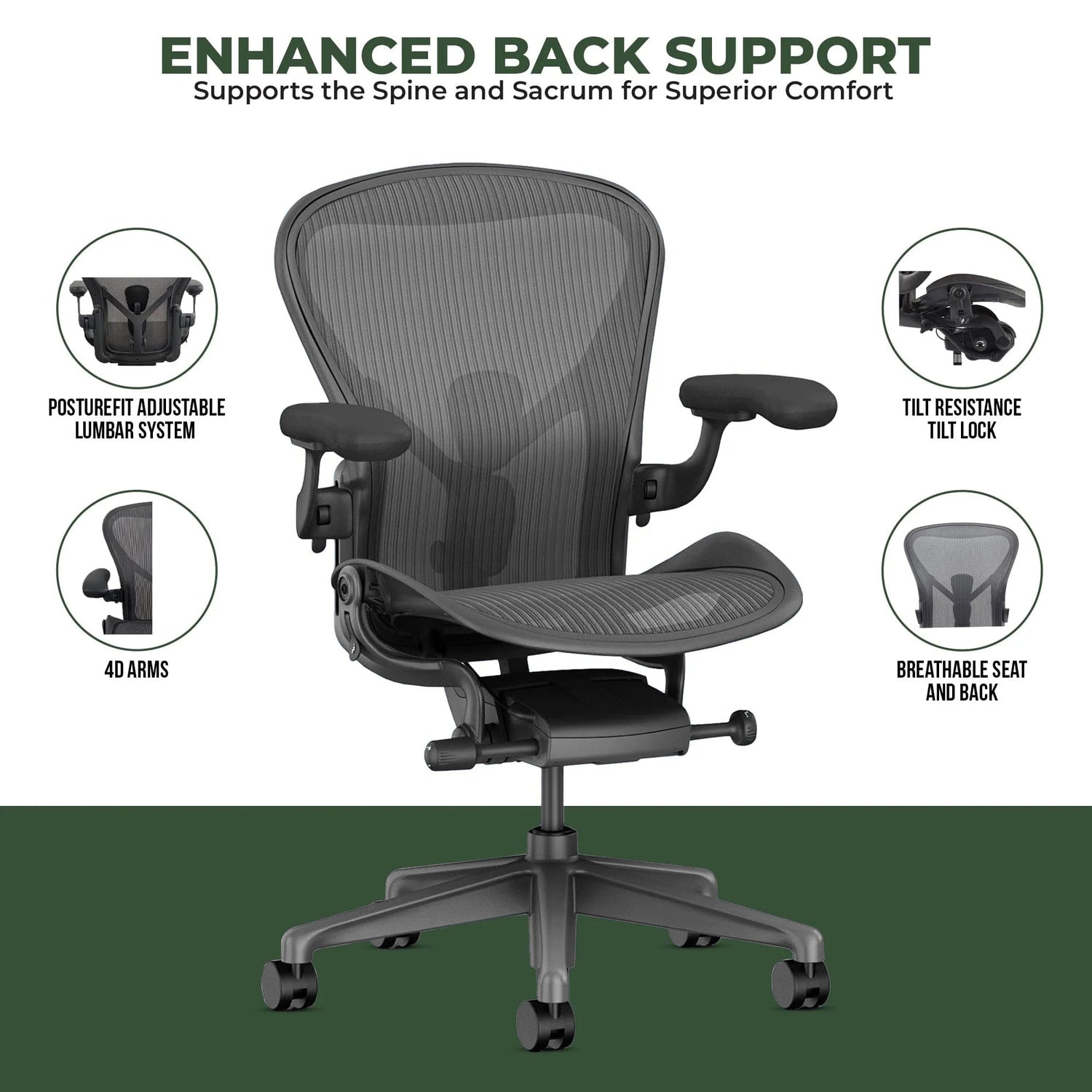
The Remastered Aeron introduced PostureFit SL, supporting both the lumbar and sacral regions
What changed in the remaster
Posture support now addresses cause, not symptom. The biggest change is PostureFit SL. The Classic Aeron used a simple lumbar bar that pushed into the lower back. PostureFit SL uses two pads that support the sacrum and lumbar area together, which helps keep the pelvis in a healthy, slightly anterior tilt. That pelvic position is the base of a neutral spine, so your upper back needs less bracing, and slouching is less likely in the first place. You adjust the tension by turning the central knob while seated, which lets you dial in support quickly when you switch tasks.
8Z Pellicle mesh spreads load more evenly. Herman Miller replaced the uniform Classic mesh with 8Z Pellicle, which has eight zones with different tensions, four in the seat and four in the back. The tighter zones hold you where you need stability, while softer zones cushion bony areas and reduce edge pressure under the thighs and along the shoulder blades. Heat build up is also reduced because the weave is tuned for airflow. The difference is subtle at first sit, then obvious after a long session, less tingling in the legs and fewer hot spots.
Harmonic 2 Tilt keeps you grounded in recline. The Remastered tilt mechanism, called Harmonic 2, coordinates pivot points at the ankles, knees, and hips. That balance lets you recline without your feet lifting or your hips sliding forward. The feel is smoother than the Classic Kinemat tilt, and it takes less effort to move between upright and recline. The tilt limiter and seat angle functions are separate, which means you can set maximum recline and also use a small forward tilt for focused work if your configuration includes that option.
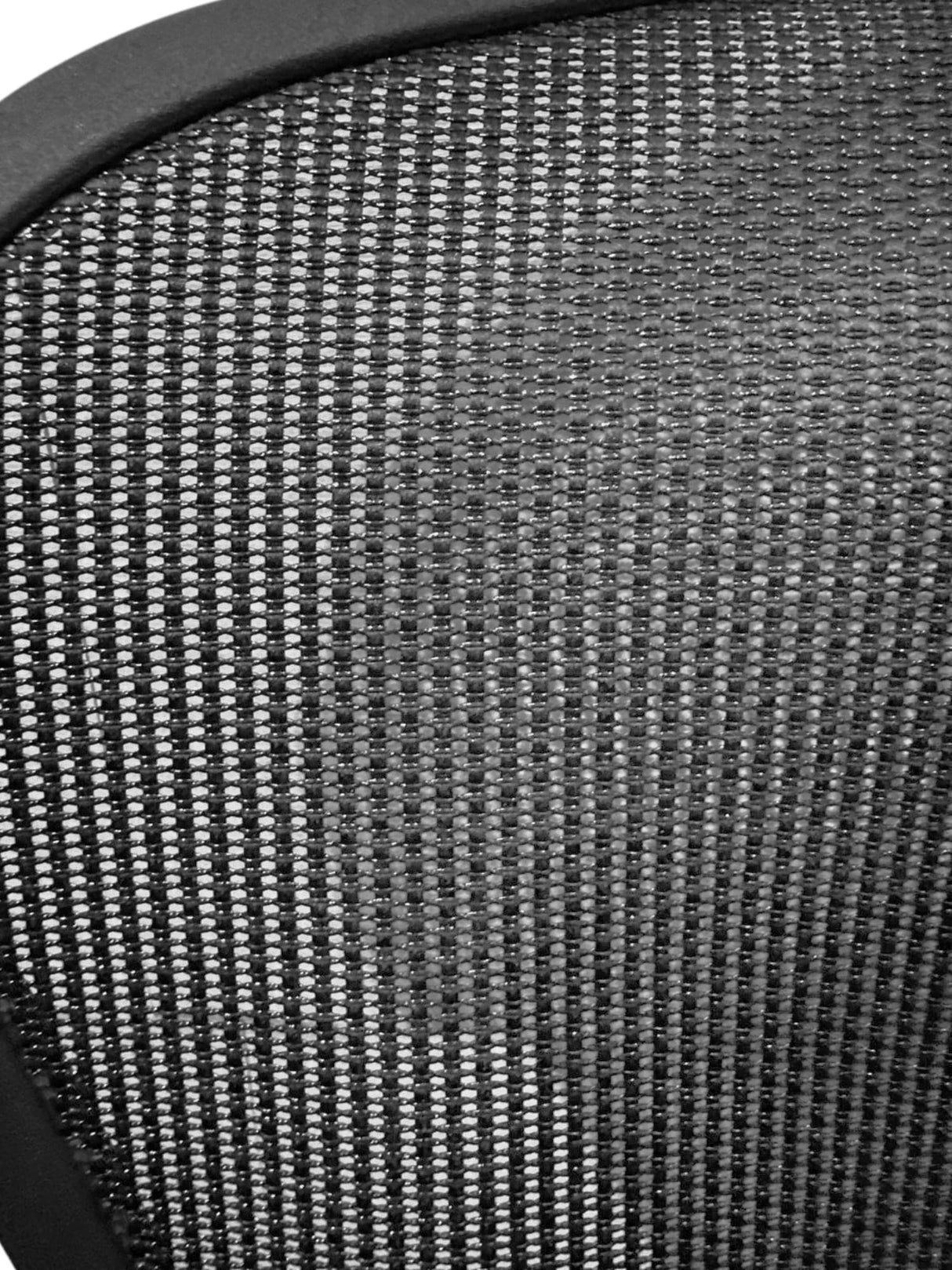
The updated mesh back provides eight zones of varying tension for targeted support
Arms adjust more smoothly and feel better under the forearms. The Remastered arm pads are softer and slightly larger. The mechanisms for height, pivot, and depth have less play and a cleaner detent, so you can set them quickly for typing, writing, or mousing. If you use a narrow keyboard or switch between laptop and external keyboard, the easier inward pivot helps keep elbows under shoulders, which reduces shoulder elevation and neck strain.
Finishes and materials look and wear better. Remastered colourways, Graphite, Carbon, and Mineral, use a more matte finish that hides scuffs and integrates better in modern offices. The aluminium frame has a refined surface treatment, which holds up well in high use spaces. The chair uses more recyclable content than the Classic and is built with fewer fasteners, which simplifies service and reduces weight while maintaining strength.
Classic vs remastered Aeron at a glance
| Feature | Classic Aeron (1994-2016) | Remastered Aeron (2016-present) |
|---|---|---|
| Back support | Optional lumbar bar, single pressure point | PostureFit SL with sacral and lumbar pads, adjustable tension |
| Seat and back material | Pellicle mesh with largely uniform tension | 8Z Pellicle mesh with eight zones for targeted support and pressure relief |
| Tilt mechanism | Kinemat tilt, single pivot feel | Harmonic 2 Tilt, balanced recline with coordinated ankle, knee, and hip movement |
| Armrests | Height and pivot, firmer pads | Height, pivot, and depth with smoother action, softer pads |
| Finish options | Fewer colours, glossier plastics | Graphite, Carbon, Mineral, matte plastics, refined aluminium finish |
| Sizes | A, B, C | A, B, C with refined frame geometry, chosen by user height |
| Weight rating (maximum) | Historical rating: up to 159 kg on Size C | Current rating: 136 kg (A), 159 kg (B), 181 kg (C) |
| Warranty on a new chair from Chair Dinkum | Not applicable, sold secondhand only | Chair Dinkum's own 12-year warranty |
Note on the weight rating: Herman Miller uprated Size C from 350 lb to 400 lb, which is why current Size C chairs are rated to 181 kg. Older specification sheets still showing 159 kg for Size C describe the earlier rating, not the current product. 159 kg is the current Size B figure.
What stayed the same
Herman Miller kept the parts that made the Aeron a standard for task seating. The overall geometry is familiar, the three size approach remains, and the open mesh seat and back still allow airflow. The silhouette is unmistakable. Herman Miller's 12 year warranty applies to chairs purchased through its authorised-retail channel. Chair Dinkum's Aerons are sourced as international parallel imports, so they are instead backed by Chair Dinkum's own 12 year warranty, with support handled directly by us. If you can pick a Classic Aeron out of a lineup, you will know the Remastered on sight, yet the comfort differences show up in day to day use rather than in a spec sheet.
Is the remaster worth it over a used Classic
For most people with lower back sensitivity, PostureFit SL alone justifies the upgrade. Direct sacral support helps stop posterior pelvic tilt, which is a common cause of flexed lumbar posture and end of day ache. If you sit long hours in a warm climate, the 8Z Pellicle zones also make a noticeable difference to circulation and heat management. If your budget is the main driver and you find a well maintained Classic, it still performs well, but factor in the risk of worn tilt bushings, stretched mesh, or broken arm mechanisms.
Consider warranty and lifespan. The Remastered Aeron bought new from Chair Dinkum comes with 12 years of warranty support, provided directly by Chair Dinkum on our parallel-import stock. A used Classic typically does not carry manufacturer support for a second owner. Over a decade of daily use, the annual cost of a new Remastered is often lower than chasing repairs on an older frame. If you want simpler configuration and a fresh mesh tuned for current working patterns, the Remastered is the safer long term choice.
If you are comparing across brands in the same budget, read our head to head reviews, including Herman Miller vs HÅG. You can also browse all Task Chairs and the full Herman Miller collection to weigh your options.
Fit and sizing guide, picking A, B, or C
The Aeron is sized primarily by user height, so start there and use the weight rating only as a ceiling. Herman Miller offers three sizes so the frame and mesh tension match your body rather than forcing heavy adjustments. The recommended height ranges overlap on purpose, so if you sit near a boundary, contact us before ordering.
- Size A suits users 147 to 163 cm tall, ideal if you want a compact footprint and a shallower 417 mm seat. Rated to 136 kg.
- Size B suits users 157 to 183 cm tall with a 432 mm seat depth, and is the most common choice for shared spaces. Rated to 159 kg.
- Size C suits users 178 to 198 cm tall, with the widest seat and the deepest 480 mm seat pan for longer legs. Rated to 181 kg.
For precise sizing, reach out via Contact Us. We can also advise on desk height and monitor placement to make the most of your chair, see our Ergonomics & Movement guide.
Who the Aeron suits, and who should consider alternatives
If you want a breathable, supportive chair that keeps a neutral pelvis without thick foam, the Aeron is a strong fit. People who run warm, people who type for long periods, and people who prefer a buoyant sit over a cushioned one tend to prefer the Aeron. If you work long hours at a screen and value easy, balanced recline, Harmonic 2 Tilt is a standout.
If you prefer a more upholstered feel, or you want a chair that cues frequent posture shifts, consider alternatives. The HÅG SoFi Mesh blends dynamic movement with a supportive back. If you want active sitting with a saddle style seat for sit to stand desk work, look at the HÅG Capisco 8106 or the lighter HÅG Capisco Puls 8010. For a minimalist mesh at a sharper price point, the Humanscale World One LM is worth a look. You can browse our HÅG and LiberNovo ranges for more options.
Desk setup tips to unlock Aeron benefits
Good chair setup starts with desk height and screen placement. To keep shoulders relaxed and elbows near 90 degrees, set your desk so your forearms are level when your shoulders feel neutral. If your desk is fixed height and too high, raise the chair and add a footrest, or consider a height adjustable option in our Sit to Stand Desks collection.
Monitor distance and height affect neck comfort as much as your chair does. Pair the Aeron with a quality monitor arm to fine tune viewing angles. Choose the CBS Flo Single Monitor Arm for one screen, the CBS Flo Dual Monitor Arm for two screens, or the CBS Ollin Monitor Arm for lightweight panels. See all options in Monitor Arms.
If you work between sitting and perched standing, the Herman Miller Aeron Stool carries the same support higher up. If you alternate between saddle and standard seating, you can add accessories for the Capisco range such as the HÅG Capisco Footring, HÅG Capisco Glides, and HÅG Capisco Gas Lift to refine movement and height.
Sustainability and warranty
The Remastered Aeron uses more recyclable content and is built for serviceability. Fewer fasteners and updated components simplify part replacements, which means the chair is easier to maintain over a long life. When you buy new from Chair Dinkum, your chair is covered by our 12-year warranty spanning the frame, tilt mechanism, gas lift, base, armrest structure, and suspension materials, including 24/7 use. Our chairs are genuine Herman Miller products sourced as international parallel imports, so warranty support is provided directly by Chair Dinkum rather than through Herman Miller's registration process, and your Australian Consumer Law rights apply in addition. That makes servicing straightforward over the life of the chair.
Aeron vs other premium chairs
Pick the Aeron if you want a breathable mesh seat and back, precise pelvic support, and a balanced recline. Pick a different chair if you prefer a plush foam seat or you want a saddle that encourages posture shifts. Compare in detail via our guide Herman Miller vs HÅG for a broader look at movement styles. If you need private space rather than a different chair, look at Framery pods such as the Framery One Compact Phone Booth, the Framery One Phone Booth, or the Framery Four Meeting Pod for focused calls and meetings.
Frequently asked questions
Is PostureFit SL worth it if I have lower back pain
Yes, PostureFit SL helps prevent the pelvis from rolling back, which is a common trigger for lumbar flexion and lower back fatigue. By supporting the sacrum and lumbar together, it keeps your spine closer to neutral with less effort. If your lower back flares up in long sessions, the Remastered Aeron is a safer bet than a used Classic with a simple lumbar bar. If you are unsure how to set it up, contact us for a quick fit check via Contact Us.
Which Aeron size should I choose
Choose by height first. Size A covers 147 to 163 cm, Size B covers 157 to 183 cm, and Size C covers 178 to 198 cm. The bands overlap, so if you sit close to a boundary or share the chair, Size B is the most versatile. Weight ratings of 136 kg, 159 kg and 181 kg are maximums for A, B and C, not selection brackets. For help with edge cases or shared spaces, get in touch via Contact Us.
Can I add PostureFit SL to a Classic Aeron
In most cases, PostureFit SL is not a simple retrofit for Classic frames because the backrest and mounting points differ. Some aftermarket kits exist, but fit and longevity can vary. If sacral and lumbar support is essential for you, the most reliable path is the Remastered Aeron. See the current model here, Herman Miller Aeron.
Is the Remastered Aeron firmer than the Classic
The overall sit is slightly more supportive, not harder. The 8Z Pellicle zones soften under bony areas and tighten where you need stability, so pressure feels lower even though the chair holds posture more actively. If you prefer a cushioned foam seat feel, consider the HÅG SoFi Mesh or the LiberNovo Omni SE.
Is the Aeron good for sit to stand setups
Yes, the Aeron pairs well with height adjustable desks, and you can choose the Herman Miller Aeron Stool for higher work surfaces. For the desk itself, browse Sit to Stand Desks. To keep your screen at the right height across positions, add a monitor arm such as the CBS Flo Single Monitor Arm or CBS Flo Dual Monitor Arm.
How does the Aeron compare to HÅG Capisco for active sitting
The Aeron supports a neutral pelvis with zoned mesh and harnesses recline for variation, which suits focused tasks and warm climates. The HÅG Capisco 8106 promotes active sitting by encouraging frequent posture changes, forward perching, and side sitting. If you want a saddle for movement at a sit to stand desk, the Capisco range is ideal. See our overview, What is active sitting, and our guide, The complete guide to HÅG ergonomic chairs.
Key takeaways and recommendations
- Choose the Remastered Aeron if you want sacral plus lumbar support, smoother recline, and zoned pressure relief that stays comfortable on long days.
- Size by height first, then confirm the weight rating. Ask us if you are near a boundary.
- Pair the chair with a monitor arm for neck comfort and a sit to stand desk if you alternate positions.
- Consider alternatives if you prefer upholstery or a saddle that drives movement. Test the HÅG SoFi Mesh or HÅG Capisco 8106.
The Herman Miller Aeron is available at Chair Dinkum with warranty support provided directly through our store. Explore the complete Herman Miller collection for all finishes and the Task Chairs range for alternatives at different budgets.
Final call to action
- Ready to choose, view and configure your Herman Miller Aeron.
- Prefer to compare first, browse all Herman Miller and Task Chairs.
- Setting up a full workstation, add a Sit to Stand Desk and a Monitor Arm.
- Need advice for your body or workspace, talk to our team via Contact Us, and learn more at Ergonomics & Movement.


