


A quality monitor arm does more than free up desk space. It positions your screen at the correct height and distance, reducing neck strain and improving posture throughout the workday. With options ranging from $120 to $509, choosing the right arm depends on your screen count, weight, and how often you reposition your display.
This comprehensive guide covers the key factors to consider and recommends the best monitor arms available in Australia for different setups. Whether you are upgrading your home office or outfitting a corporate workspace, finding the perfect monitor arm is a crucial step towards better ergonomics and productivity.
Why you need a monitor arm for your desk setup
Investing in a monitor arm is one of the most effective ways to improve your workspace ergonomics. A fixed monitor stand often forces you to look down or hunch forward, which can lead to neck and shoulder pain over time. By using a monitor arm, you can easily adjust the height, depth, and angle of your screen to suit your specific needs.
Furthermore, a monitor arm clears valuable desk space. By lifting the monitor off the desk surface, you create room for documents, accessories, or simply a cleaner, more organised workspace. This is particularly beneficial if you use a sit to stand desk, as you can quickly adjust the monitor position when transitioning between sitting and standing.
Quick recommendations for the best monitor arms
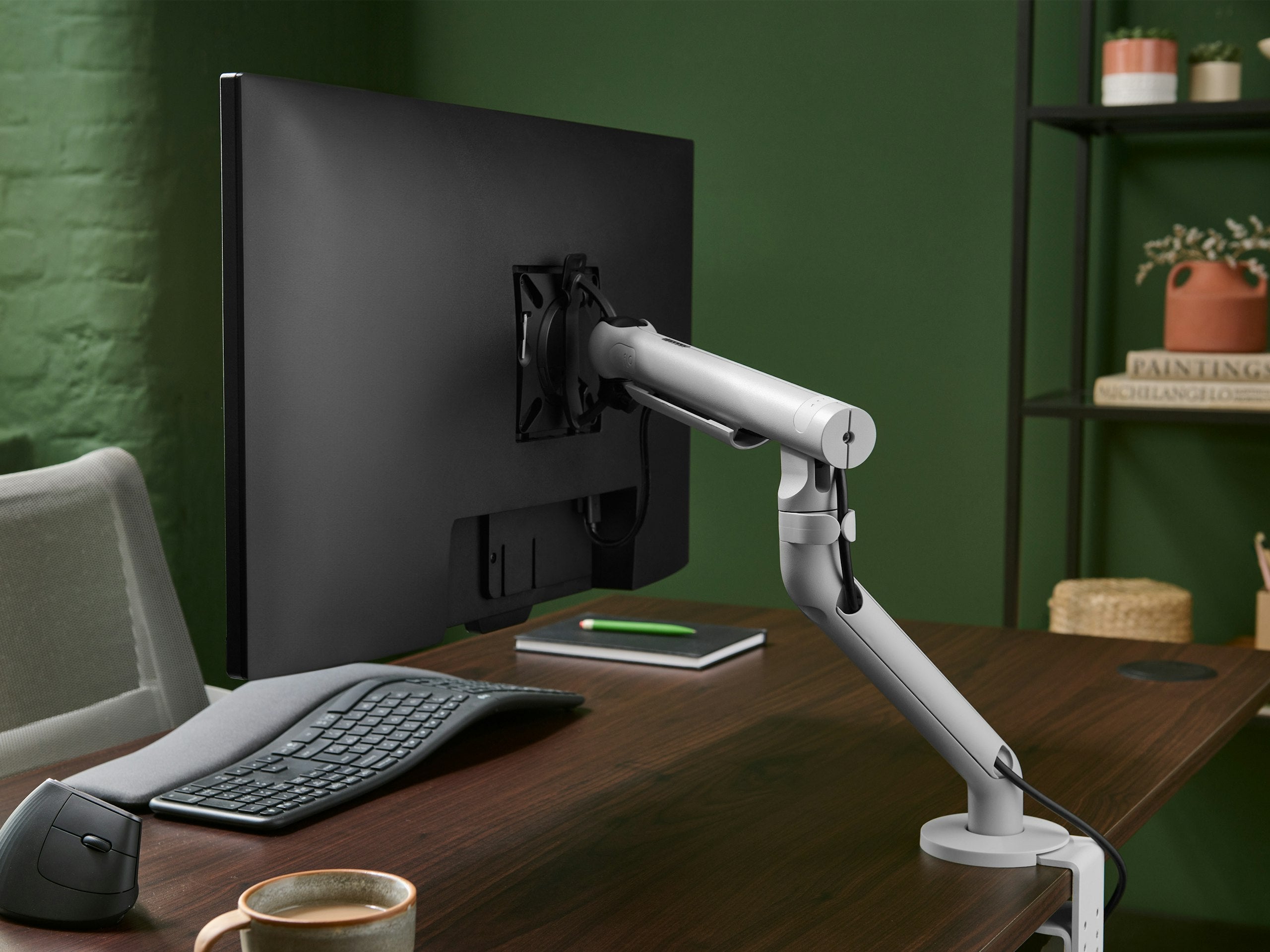
A quality monitor arm like the CBS Flo frees up desk space and positions your screen at the perfect height
If you are looking for a quick decision, here is a comparison of our top recommendations based on different needs and budgets. These options represent the best balance of quality, functionality, and value available in Australia.
| Best for | Product | Price | Key features |
|---|---|---|---|
| Single screen (premium) | CBS Flo Single Monitor Arm | $259 | Smoothest movement, spring-assisted, no tools needed for adjustment |
| Single screen (budget) | Float Single | $120 | Gas spring mechanism, solid build quality, excellent value |
| Dual screens (premium) | CBS Flo Dual Monitor Arm | $499 | Independent arms, uses the premium Flo mechanism for two screens |
| Heavy monitors (up to 9kg) | CBS Ollin Monitor Arm | $314 | Handles heavier displays, slim design, bolt-through or clamp mount |
| Ultrawide or large display | Humanscale M8.1 | $479 | Robust counterbalance mechanism, supports heavy screens up to 12.7kg |
| Clean minimal design | Humanscale M/Flex ZG1 | $195 | Sleek aesthetic, smooth movement, small desk footprint |
What to consider before buying a monitor arm
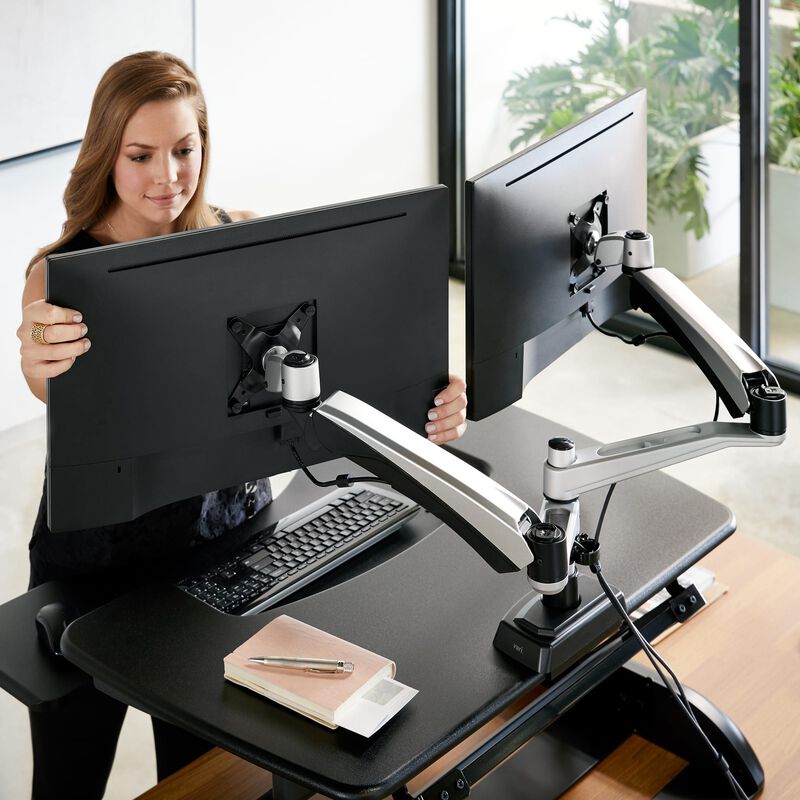
Dual monitor arms allow independent positioning of each screen for maximum productivity
Choosing the right monitor arm requires careful consideration of your specific setup and requirements. Here are the primary factors you should evaluate before making a purchase.
1. Screen count and size
The number of screens you use is the first deciding factor. Single arms suit most users with one monitor up to 32 inches. If you run dual screens, you need either a dedicated dual arm like the CBS Flo Dual Monitor Arm or two individual arms. For ultrawide monitors over 34 inches, check the arm weight capacity carefully as these displays are often heavier than standard panels.
2. Monitor weight capacity
Every arm has a specific weight range it can safely support. The CBS Flo supports 3 to 8kg, which covers most 24 to 32 inch monitors. The CBS Ollin Monitor Arm extends to 9kg, and the Humanscale M8.1 handles up to 12.7kg. Always check your monitor weight, making sure to exclude the original stand, against the rated capacity of the arm.
3. Desk mounting options
Most arms offer two mounting options, clamp or bolt-through. A clamp mount grips the desk edge and is easier to install and move. A bolt-through mount requires a permanent hole in the desk but offers greater stability. Bolt-through mounts work better on thicker desks or when the arm carries heavy loads. Ensure your desk is compatible with your chosen mounting method.
4. Movement mechanism type
The mechanism determines how smoothly the arm moves. Spring-assisted arms, like the CBS Flo, use a mechanical spring for smooth, tool-free height adjustment. Gas spring arms use a pneumatic cylinder. Both work well, but mechanical springs tend to last longer and feel smoother over time, making them a better long-term investment.
5. Cable management features
A messy desk can hinder productivity. Look for arms with integrated cable channels or clips. Premium options like the CBS Flo and Ollin route cables through the arm itself, keeping your desk clean and organised. Budget arms may only offer external clips, which are less effective at hiding cables.
Detailed product breakdown of top monitor arms
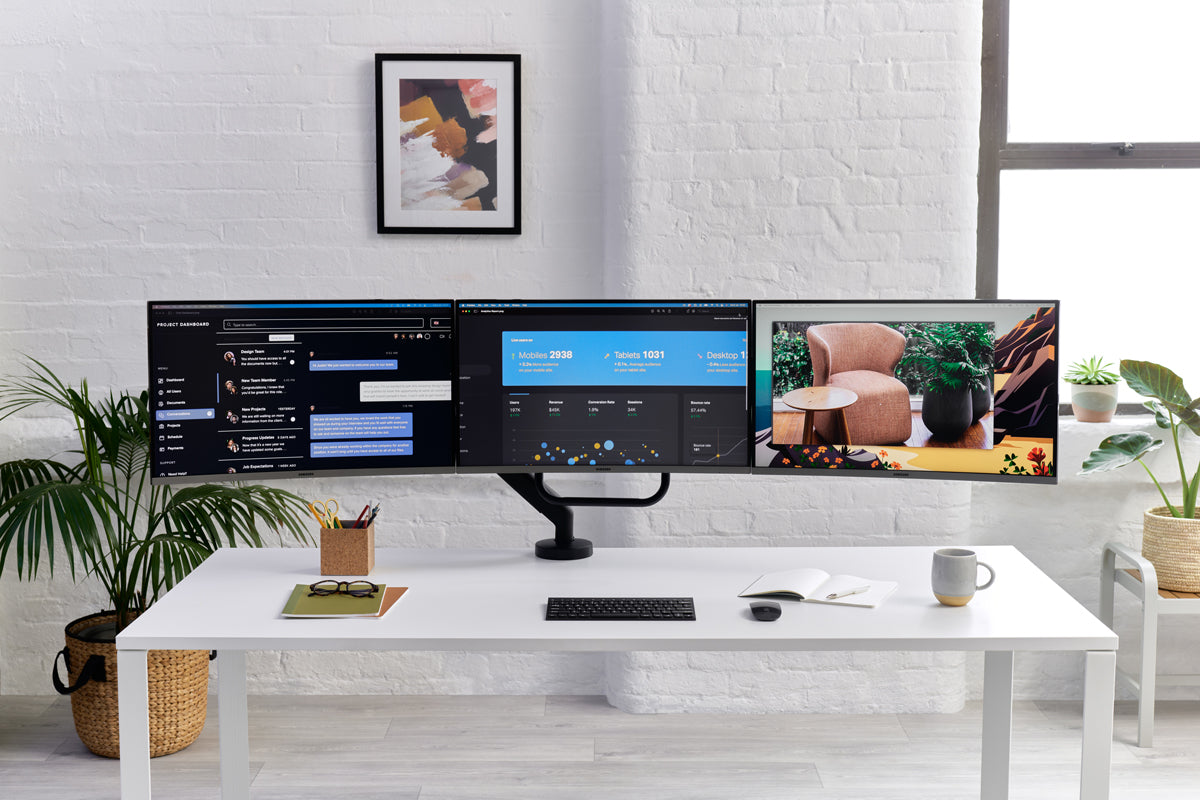
The CBS Flo X supports multiple monitors with independent arm movement
Let us look closer at some of the best monitor arms available to help you make an informed decision for your workspace.
CBS Flo Single Monitor Arm
The CBS Flo Single Monitor Arm is the benchmark for single monitor arms. It uses a patented spring mechanism that allows effortless repositioning with just one finger. You need no tools for height, tilt, or rotation adjustments. It supports VESA 75/100 mounts and monitors from 3 to 8kg. Available in black, white, and silver, it is a versatile choice for any modern office.
CBS Ollin Monitor Arm
Designed for heavier monitors and deeper desks, the CBS Ollin Monitor Arm extends further than the Flo, offering up to 580mm reach. It supports screens up to 9kg. Its slimmer profile makes it less visually dominant on the desk, making it ideal for users with 32 inch or larger displays who want a clean aesthetic.
CBS Flo Dual Monitor Arm
For those needing two screens, the CBS Flo Dual Monitor Arm features two independent Flo arms on a single post. Each arm moves independently, so you can position screens at different heights and angles. It supports two monitors up to 8kg each. The dual post design keeps the desk footprint minimal, maximising your usable workspace.
Humanscale M/Flex ZG1
The Humanscale M/Flex ZG1 offers a clean, minimal design with a reliable counterbalance mechanism. It provides smooth movement with a very small desk footprint, making it perfect for compact workstations. It supports monitors up to 7kg and is a great option for those who value both form and function.
Pairing your monitor arm with an ergonomic chair
A monitor arm is just one part of a healthy ergonomic setup. To truly benefit from improved posture, you should pair it with a high-quality ergonomic chair. Chairs like the Herman Miller Aeron or the HAG Capisco 8106 provide the necessary lumbar support and adjustability to keep you comfortable throughout the day.
When your screen is at the correct height, you are less likely to slouch, allowing your chair to properly support your spine. For more information on creating a complete ergonomic workspace, read our guide on how to choose a sit stand desk.
Frequently asked questions about monitor arms
Do I need a monitor arm if I have a height adjustable desk?
Yes, you still need a monitor arm with a height adjustable desk. A sit to stand desk adjusts your overall working height, but a monitor arm lets you fine-tune the screen position independently. This is especially important when switching between sitting and standing, as your optimal eye-to-screen distance and angle often change.
Will a monitor arm fit my current desk?
Most monitor arms clamp onto desks that are 10 to 60mm thick. If your desk has a thick back rail or a cable tray, you must measure the available clamping area first. Bolt-through mounting works on almost any thickness but requires drilling a hole in the desk surface.
Can I use a monitor arm with a laptop?
Yes, you can use a monitor arm with a laptop. Many brands offer laptop mount attachments that hold a laptop on a tray using the same spring-assisted arm mechanism. This raises your laptop screen to eye level, improving ergonomics and freeing up valuable desk space.
How long do high quality monitor arms last?
Quality monitor arms like the CBS Flo and Ollin are rated for over 10 years of daily use. Their mechanical spring mechanisms are tested to over 50,000 cycles. Budget gas spring arms typically last 5 to 7 years before the gas cylinder begins to lose pressure.
Are monitor arms difficult to install?
Most modern monitor arms are designed for easy installation. Clamp mounts usually require only an Allen key, which is often included in the box. Bolt-through mounts require a drill, but the process is straightforward. Always follow the manufacturer instructions for safe and secure installation.
What is VESA compatibility?
VESA is a standard for mounting interfaces on monitors and TVs. Most monitor arms support VESA 75x75mm and 100x100mm hole patterns. Before buying an arm, check the back of your monitor to ensure it has these mounting holes.
Upgrade your workspace today
Choosing the right monitor arm is a smart investment in your health and productivity. By positioning your screen correctly, you can reduce physical strain and work more comfortably. Whether you need a simple single arm or a robust dual setup, we have options to suit every requirement.
Ready to improve your desk setup? Browse our full range of monitor arms to find the perfect fit for your workspace. If you need further assistance, feel free to contact us for expert advice tailored to your specific needs.


